ADP processes payroll for roughly one in six workers in the United States. It is, by a wide margin, the largest payroll company in the country. But ADP also offers recruiting and applicant tracking as part of its Workforce Now (for mid-sized companies) and RUN (for small businesses) platforms. If you have applied to a job and the career portal felt more like an HR onboarding system than a modern job application, you may have been using ADP's recruiting module.
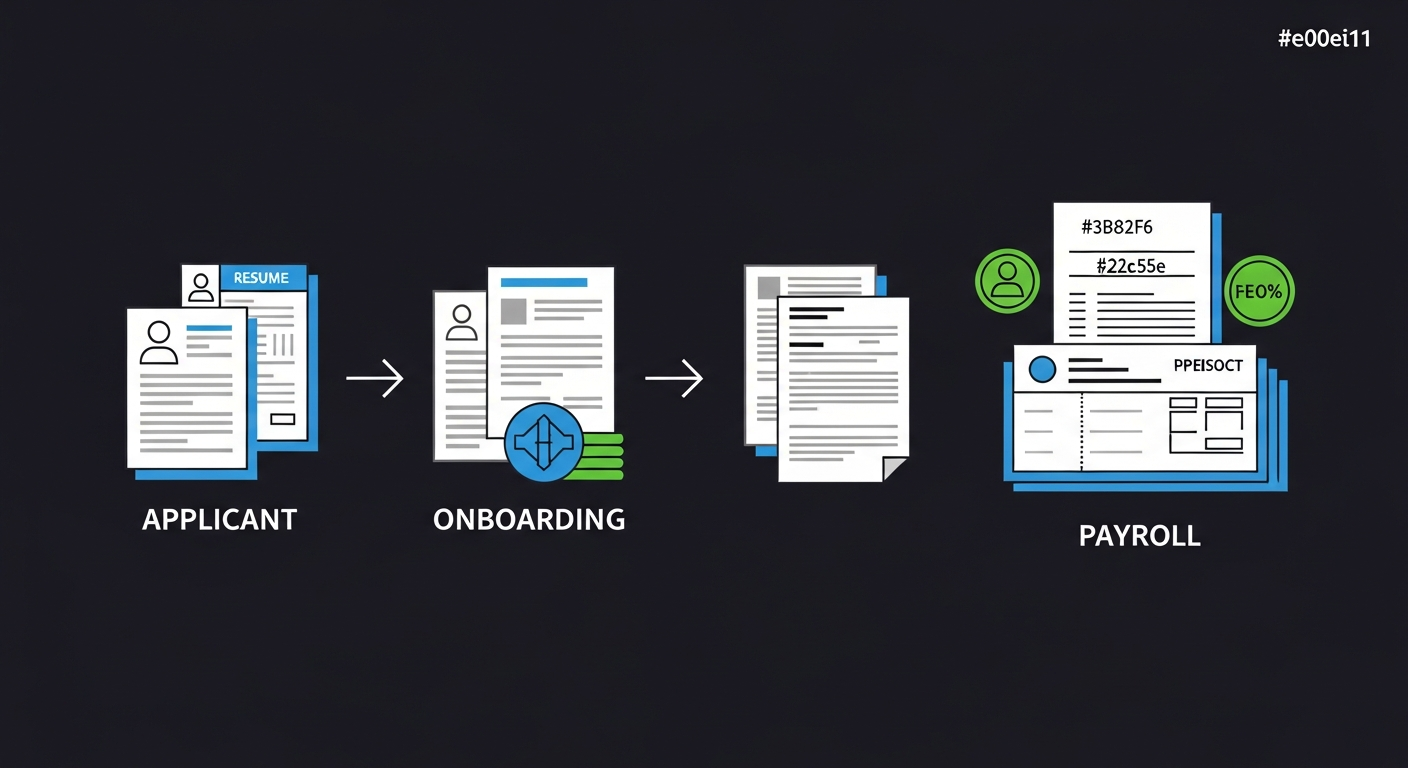
The payroll-first architecture and why it matters
When a dedicated ATS company builds a recruiting platform, the design starts with the candidate and the hiring process. When ADP builds a recruiting module, the design starts with the employee record and works backward. The recruiting module exists to create employee records that feed cleanly into payroll processing, benefits enrollment, and compliance reporting.
This architectural priority has observable consequences for applicants. The application process may ask for information that seems premature for a job application but makes sense for an eventual employee record: Social Security number (or a request for it later), mailing address in a specific format, emergency contact details, and questions about tax withholding eligibility. Not every ADP recruiting configuration asks for all of this upfront, but the system's design makes it easy for employers to collect employee-record data during the application stage.
What applicants notice
The most common reaction from applicants using ADP's recruiting module for the first time is that the application feels like it is already treating you as an employee rather than a candidate. Fields and questions that would appear during onboarding at other companies sometimes appear during the application at ADP companies. This is a feature of the payroll-first design, not a mistake.
Two products, two experiences
ADP's recruiting module comes in different flavors depending on which ADP product the company uses:
ADP Workforce Now (mid-market)
Designed for companies with 50 to 1,000+ employees. The recruiting module is more capable: configurable workflows, screening questions, candidate communication templates, interview scheduling, and basic matching. The career site is customizable with company branding. This is the version most mid-sized companies use, and it provides a reasonably modern application experience.
ADP RUN (small business)
Designed for companies with under 50 employees. The recruiting features are minimal: basic job posting, applicant collection, and simple pipeline tracking. The career page is functional but limited in customization. Many companies on ADP RUN rely on it mainly to post jobs to external boards (Indeed, ZipRecruiter) and collect applications in one place.
The application experience varies significantly between these two products. Workforce Now applications may include screening questions, structured workflows, and automated communications. RUN applications are typically bare-bones: resume upload, contact information, and submission.
How resume parsing works in ADP
ADP Workforce Now includes resume parsing that extracts work history, education, skills, and contact information from uploaded documents. The parsing quality is adequate for standard formats but does not match the capability of dedicated ATS platforms like Greenhouse or Lever. ADP's parser works best with simple, single-column resumes using conventional section headers.
Unlike enterprise ATS systems that generate match scores from parsed data, ADP's approach to candidate evaluation is more manual. The recruiting module presents the hiring manager with a list of applicants and their parsed information, but there is no automated scoring or ranking. Evaluation depends on the hiring manager's review, similar to BambooHR's approach but within ADP's HR platform context.
One thing to be aware of: when your information enters ADP's system, the parsed data feeds into candidate records that are structured to eventually become employee records. The data schema reflects this. Your name, address, and contact information are stored in a format that is compatible with payroll processing and tax reporting. This is not something you need to worry about during application, but it explains why the forms may ask for more precise formatting (like full legal name instead of preferred name, or a street address in a specific multi-field format) than what other ATS platforms require.
Job posting distribution: where ADP jobs appear
ADP Workforce Now integrates with major job boards, allowing employers to post openings to Indeed, ZipRecruiter, LinkedIn, and other platforms directly from the system. This distribution is one of the main reasons mid-sized companies use ADP's recruiting module. Instead of posting to each job board individually, they post once in ADP and the system pushes the listing out.
For applicants, this means you might encounter an ADP-powered application even when you found the job on a different platform. You click "Apply" on Indeed, and the link takes you to the company's ADP career page. The transition can be jarring if you expected to complete the application within Indeed's interface. Instead, you are redirected to a separate portal with its own forms and requirements.
The onboarding handoff that affects you as an applicant
ADP's most distinctive feature, from a recruiting perspective, is the seamless transition from applicant to employee. When a candidate is hired, the recruiting module can automatically create an employee record in the payroll and HR system, pre-populated with the data collected during the application. This includes everything from tax withholding to benefits eligibility.
This matters to applicants for a subtle reason: companies using ADP's recruiting-to-onboarding pipeline have an incentive to collect accurate, complete information during the application stage. An employer might ask for your full legal name (not a nickname), a permanent mailing address, and other details that seem excessive for a job application. They are collecting this to avoid re-entry during onboarding if you are hired.
Providing accurate information at this stage is worth doing carefully. If you are hired, the data you entered flows directly into your employee record. Errors in your name spelling, address, or contact information could follow you into payroll, benefits, and tax documents if not corrected during onboarding.
How to identify an ADP career site
- The URL typically contains
workforcenow.adp.comor variations with the company's subdomain. - ADP career pages often have a functional, corporate look with limited customization. The ADP logo or "Powered by ADP" may appear in the footer.
- The application flow may redirect you from a job board to an ADP-hosted page, which is often the first indicator.
- The form fields tend to be more structured and employee-record-like than typical ATS application forms.
How Ajusta handles ADP job postings
When Ajusta detects a job posting from an ADP platform, it adjusts its analysis to account for the system's manual evaluation process and payroll-oriented data collection. Since ADP does not use automated match scoring, Ajusta focuses on ensuring your resume is clear and readable for direct human review, similar to its approach for BambooHR.
Ajusta also notes when a job posting appears to originate from an ADP career site, which helps set expectations about the application process. The posting may require more personal information than what a dedicated ATS would ask for, and Ajusta flags this so applicants understand why the form is asking for details that seem premature.
Frequently asked questions
Why is the ADP application asking for so much personal information?
ADP's recruiting module is designed to feed data directly into its payroll and HR systems. When you provide detailed personal information during the application (full legal name, mailing address, eligibility questions), the system stores this in a format that can be converted into an employee record if you are hired. Not every ADP configuration asks for all of this upfront, but the system's architecture makes it easy for employers to collect onboarding-level data during the application stage.
Does ADP automatically score or rank my application?
ADP Workforce Now does not generate automated match scores the way enterprise ATS platforms like Workday or iCIMS do. Your application is reviewed by a hiring manager or recruiter who reads your resume and evaluates you manually. The system can filter applications by screening question answers, but beyond that, evaluation is human-driven. ADP RUN has even less automation in its applicant evaluation.
I found a job on Indeed but the application redirected to ADP. Is that normal?
Yes. ADP Workforce Now integrates with major job boards, allowing employers to distribute postings from ADP to Indeed, ZipRecruiter, LinkedIn, and others. When you click Apply on those platforms, you are redirected to the company's ADP career site to complete the application. The job listing is real and legitimate. The redirect is a standard part of how ADP handles job distribution.
Does my ADP application profile carry between companies?
No. Each company using ADP has its own separate instance. Your candidate data at one company is not shared with or visible to another company, even if both use ADP Workforce Now. There is no cross-company candidate database. You will need to submit separate applications with complete information for each company.